
ELLIO for IP blocking on OPNsense

A practical guide how to quickly set up IP blocking on OPNsense firewall by using advanced ELLIO IP blocklists for filtering active malicious IP addresses.

Discover how to quickly set up IP filtering on OPNsense firewall and why ELLIO’s advanced IP blocklists are a smart choice for effectively filtering active malicious IP addresses. This tutorial shows you how to set up an external IP blocklist in just a few minutes.
You’ll find in this article:
- What is ELLIO: Threat List MAX and why use it for OPNsense.
- 10-step installation tutorial for setting up an IP blacklist on OPNsense.
- How to get a free trial to test ELLIO: Threat List MAX.
- Access the ELLIO free community IP blocklist.
Why use ELLIO for IP blocking on OPNsense.
ELLIO offers the most comprehensive, swift, and advanced external IP blocklist on the market today. While other providers update their lists every hour or 15 minutes, ELLIO refreshes its lists every 1 to 5 minutes, based on your subscription. On average, ELLIO updates over 10% of its IP addresses daily and adds 98 new threats every 5 minutes. (See the current status and live data in the ELLIO Platform under Threat Lists section).
ELLIO: Threat List MAX is available in formats compatible with OPNsense and other platforms, including pfSense, Fortinet, Palo Alto Networks, Check Point, F5, Cisco, ntopng, and more.
Hold off attackers before detections are available.
ELLIO IP blocklists protect your network from the latest malicious IPs, mass exploitation, and disruptive bots. They also act as a buffer, blocking attackers immediately and giving security teams time to detect and patch new vulnerabilities before they affect your network.
ELLIO offers following blocklists:
- ELLIO: Threat List MAX: Ultimate IP blocking at the firewall level Covering 175,000 to 400,000 entities with updates every minute, easily compatible with Chek Point and other next-gen firewalls. Along with the ELLIO: Threat List, you also gain access to the ELLIO Blocklist Management Platform for managing all blocklists across firewall vendors.
How to set up an external IP blocklist on OPNsense.
Part 1: Configure Alias in OPNsense
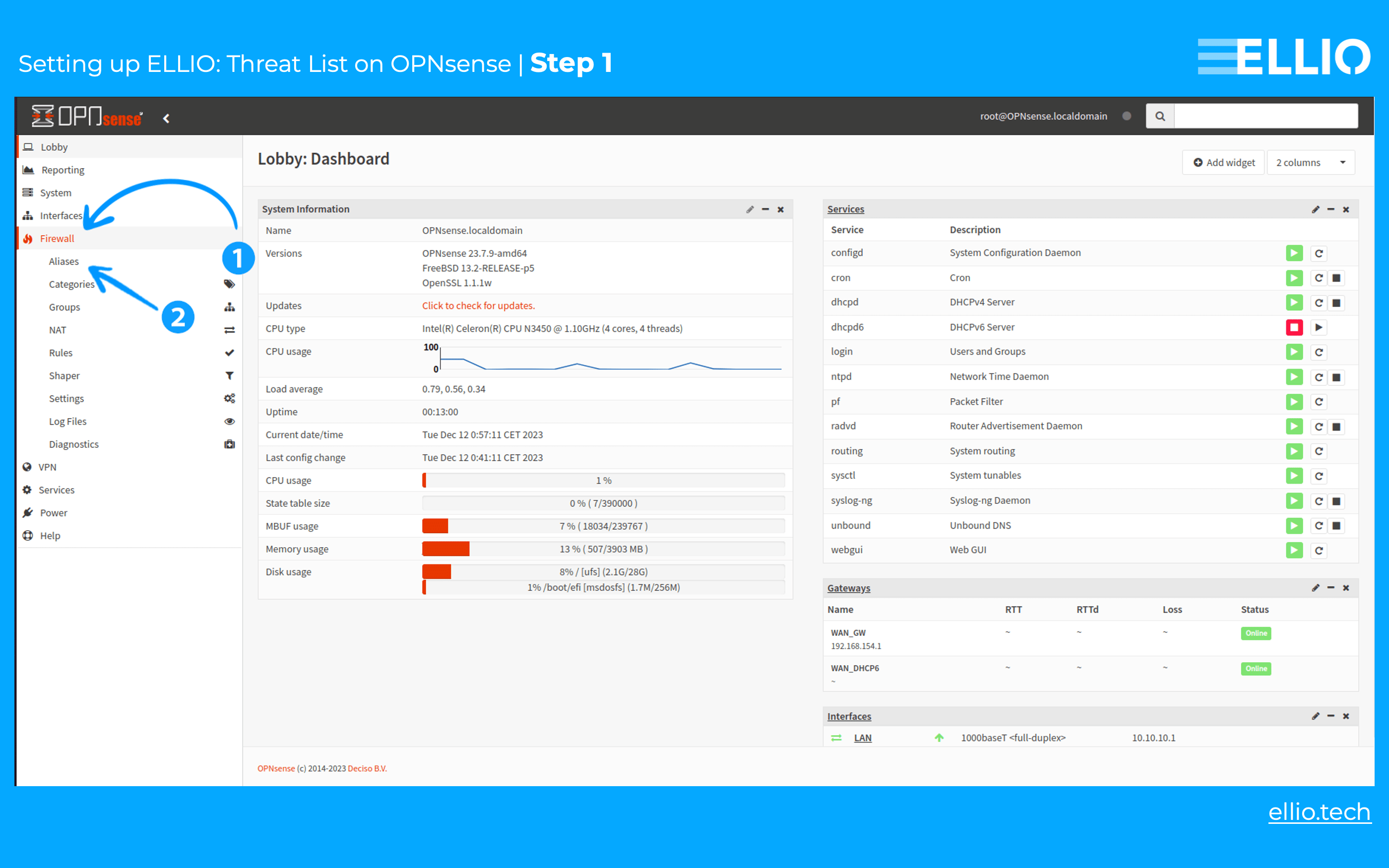
Step 1: To use ELLIO: Threat List (or other external IP blocklists) on OPNsense, you need to create a new alias. First, click on Firewall >> Aliases.
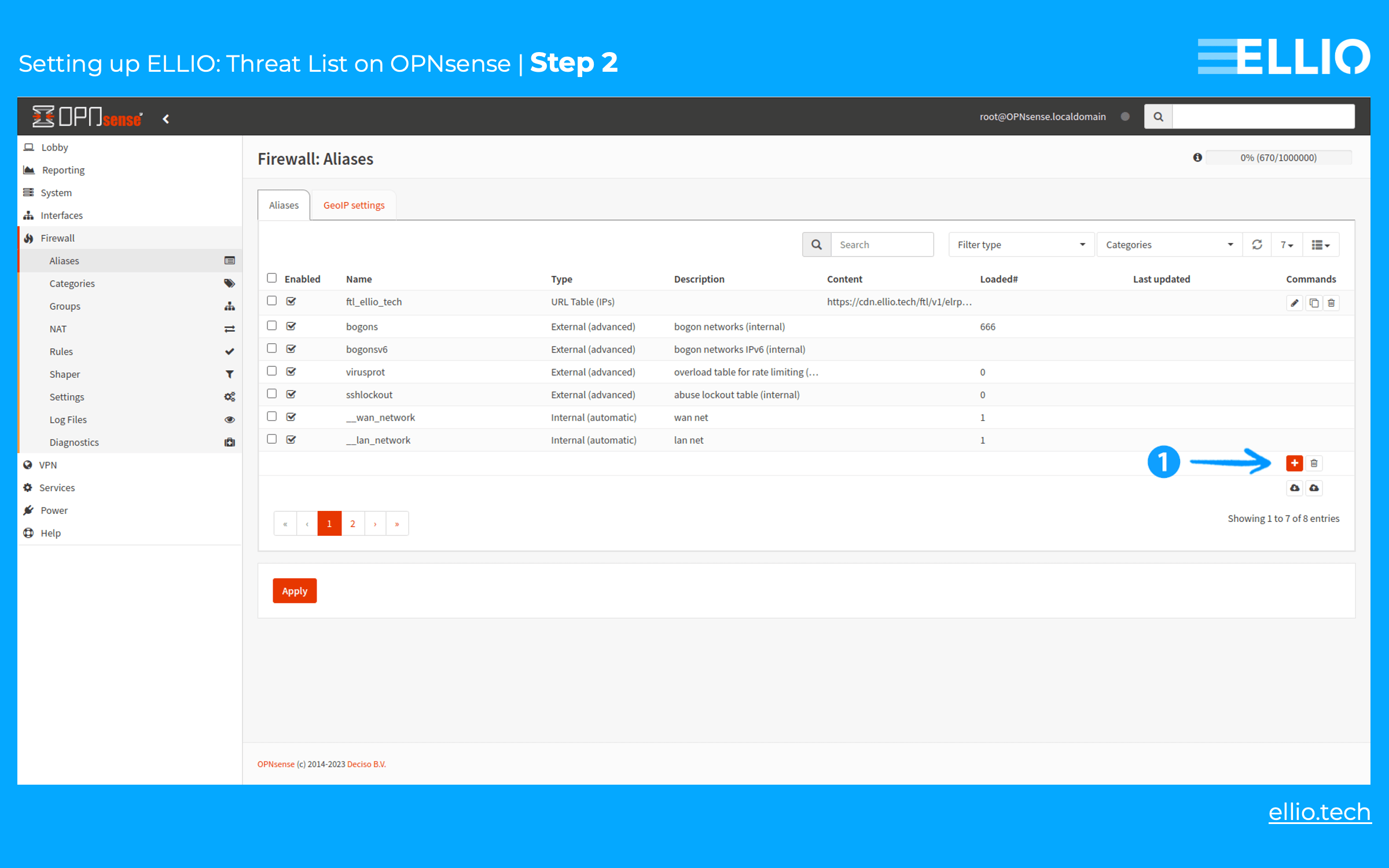
Step 2: In the Aliases section, click on the red plus-sign button.
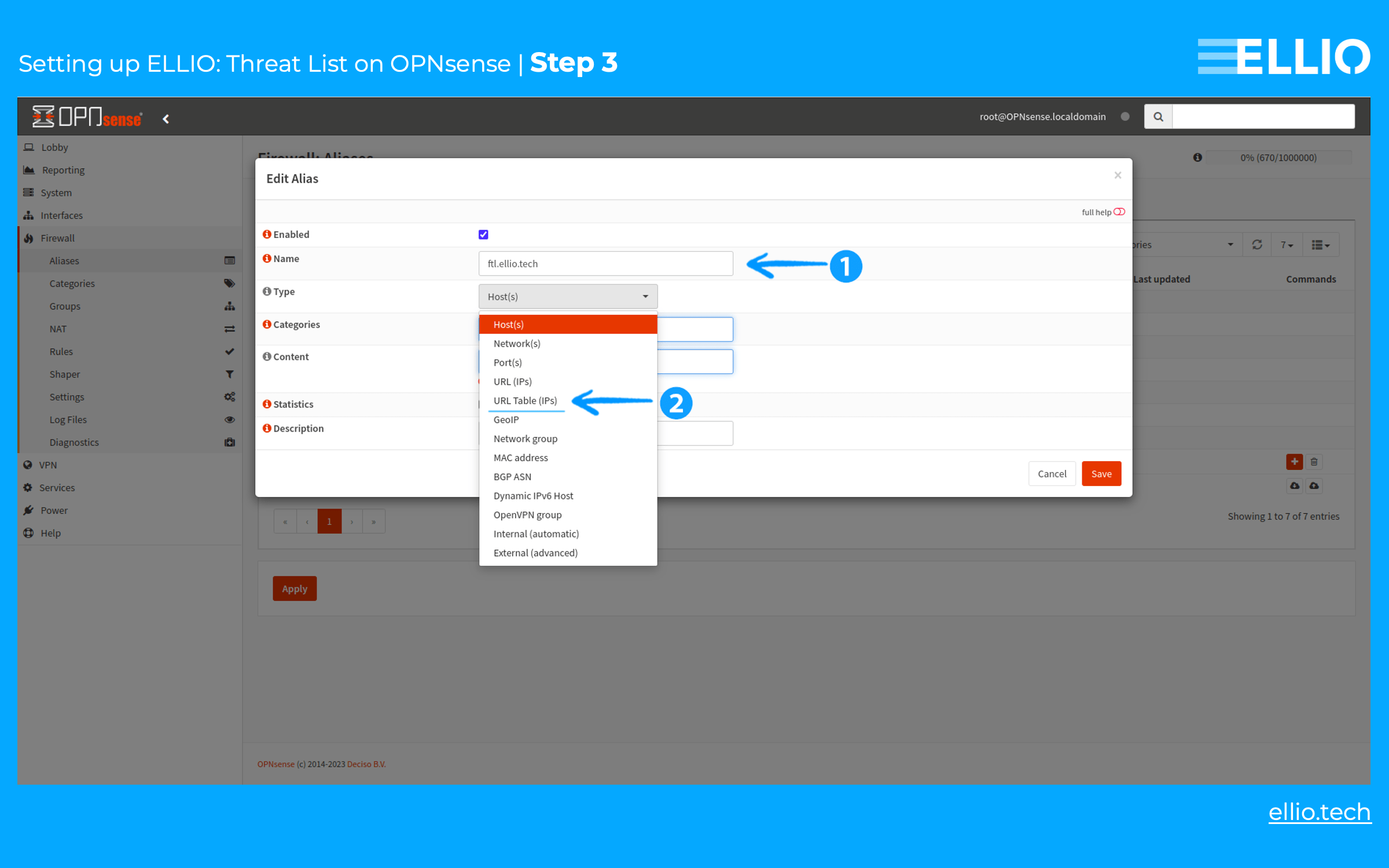
Step 3: Use a descriptive name, like ellio.tech, and select URL Table (IPs) from the dropdown menu.
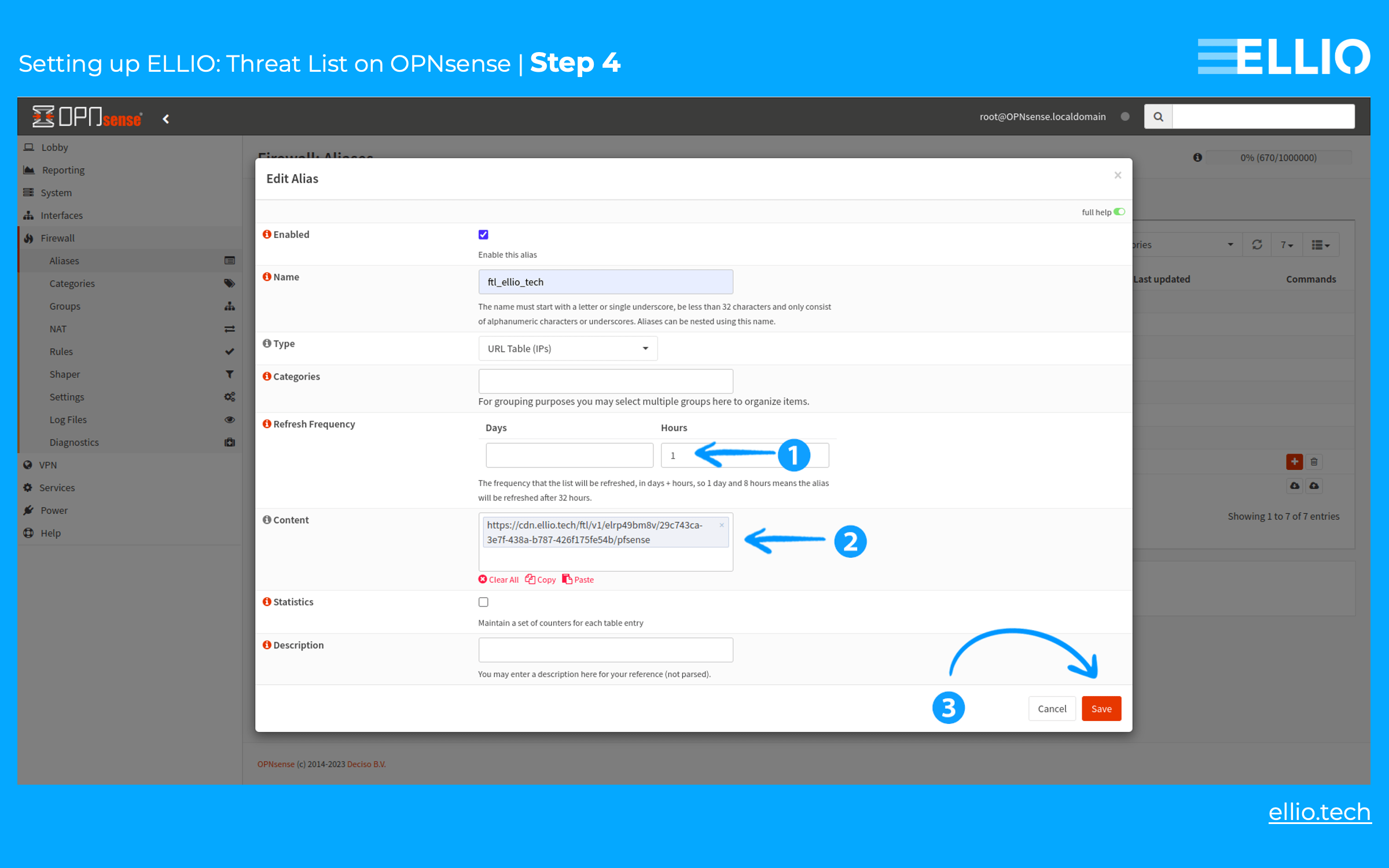
Step 4: Set the Refresh Frequency to 1 hour, then paste the URL from our portal into the Content field. Click the Save button to apply the changes.
Step 5: After a few seconds, the Loaded# and Last Updated fields will populate with information, confirming that the setup is working as intended.
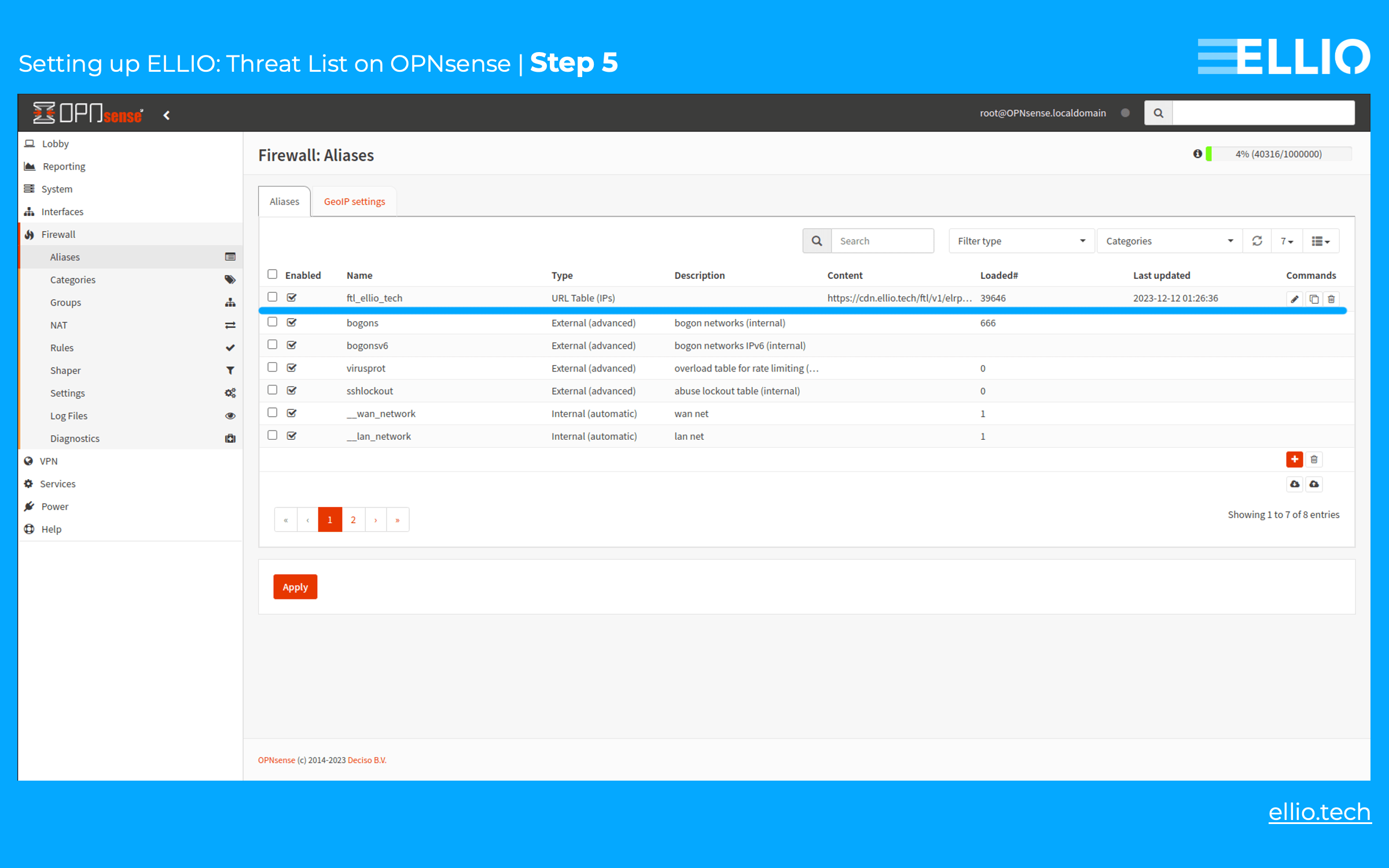
Part 2: Configure firewall in OPNsense
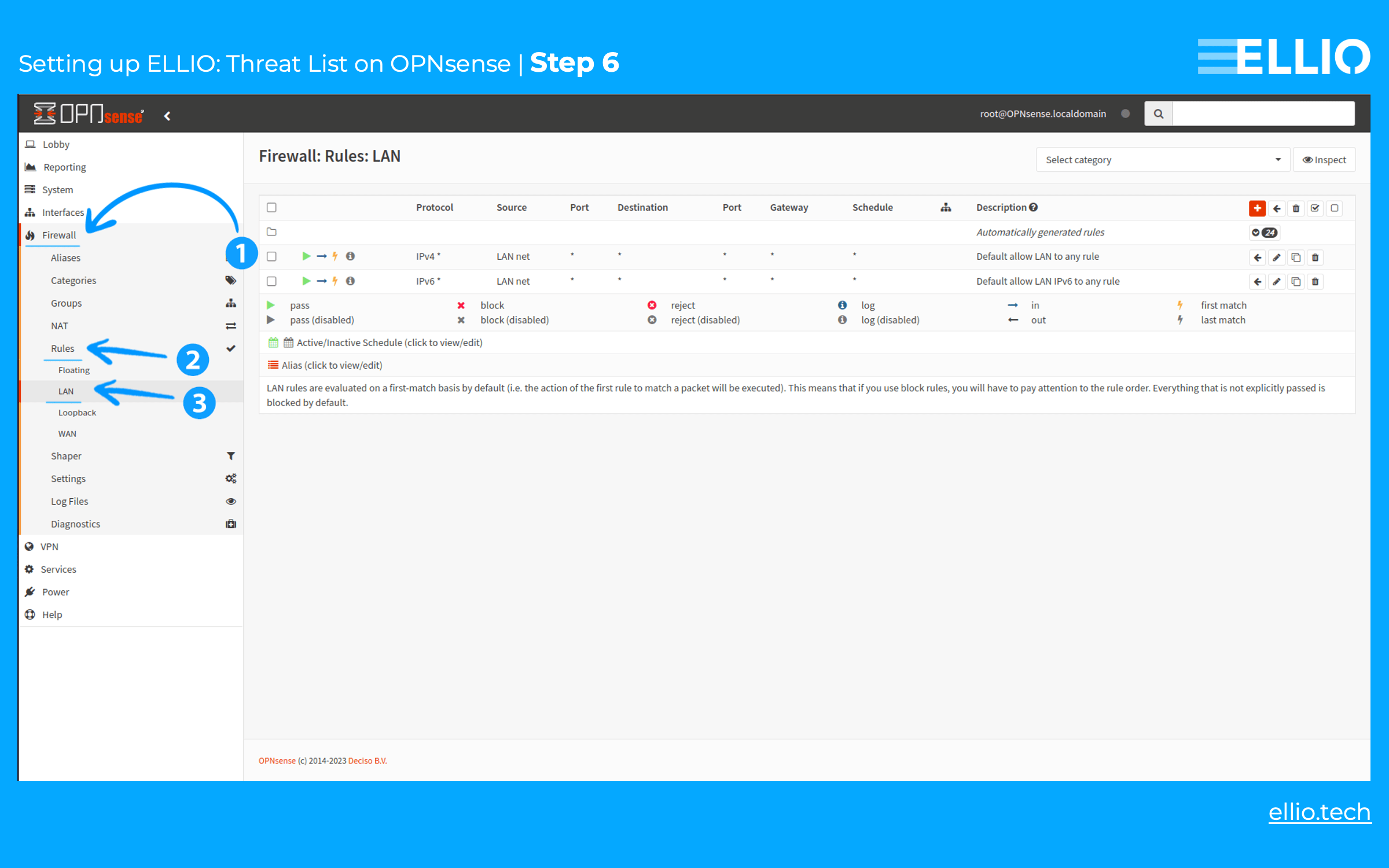
Step 6: To set up a blocking rule on the firewall, navigate to Firewall -> Rules -> WAN (ignore LAN screenshots).
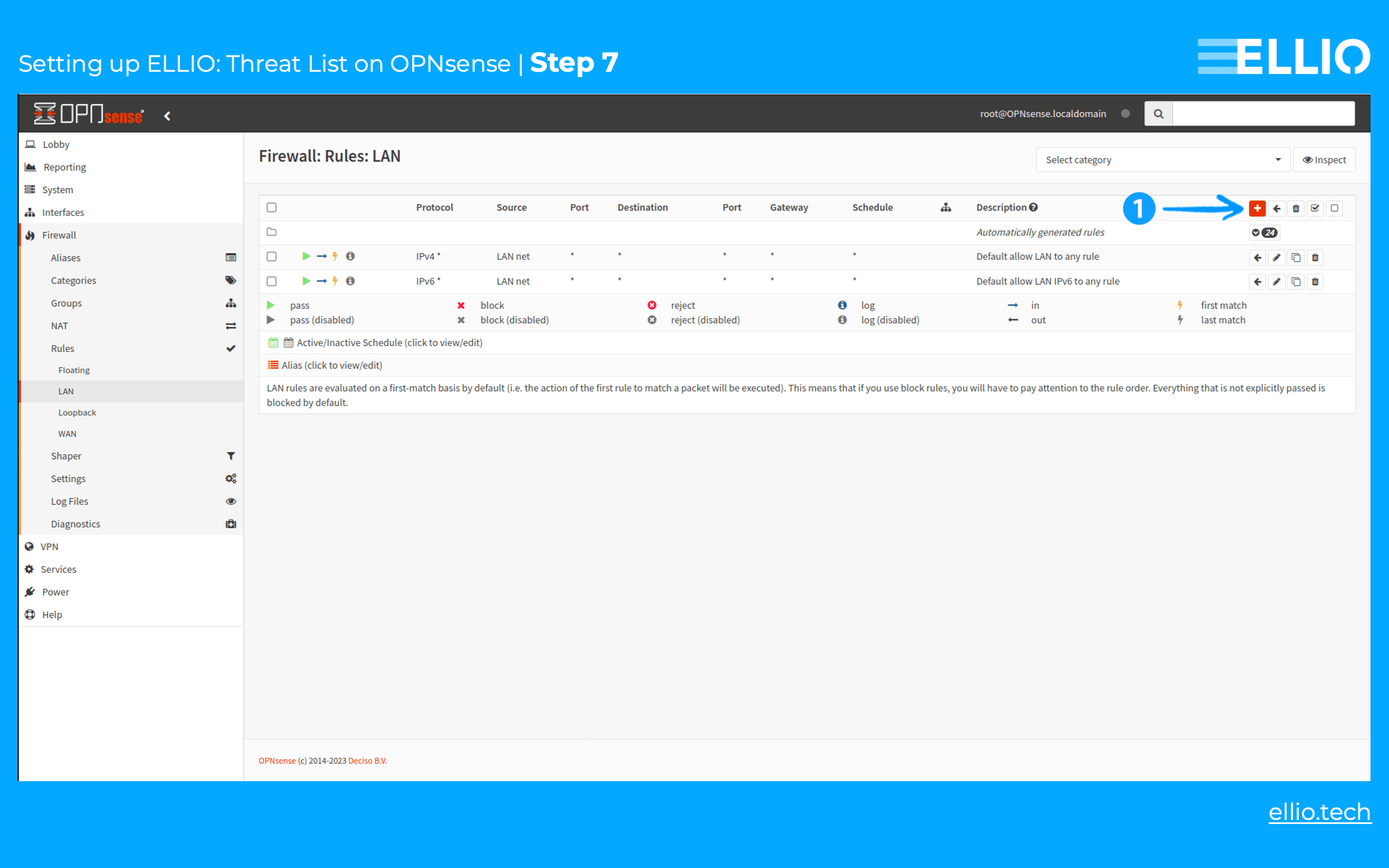
Step 7: Click the red plus sign to add a new rule.
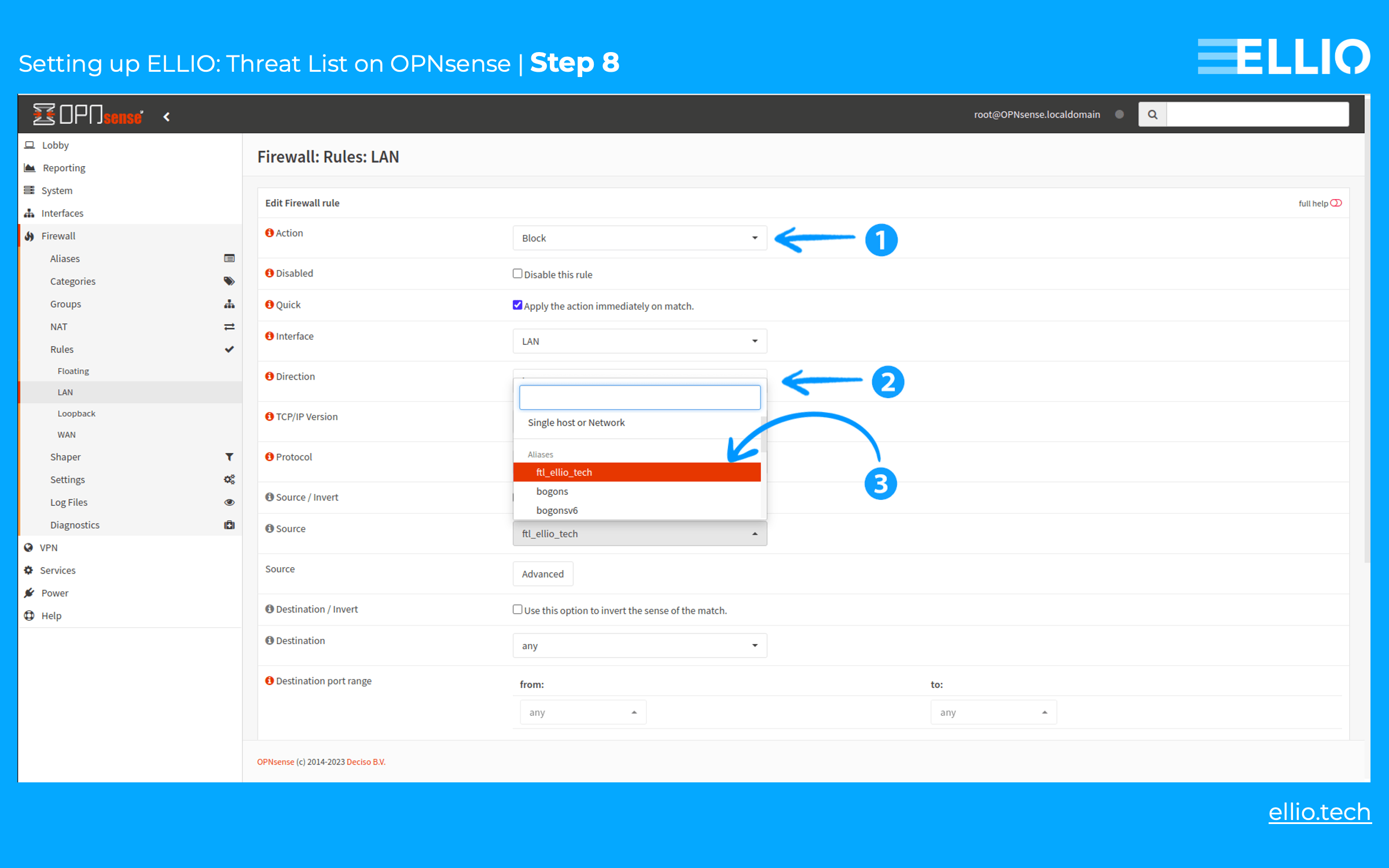
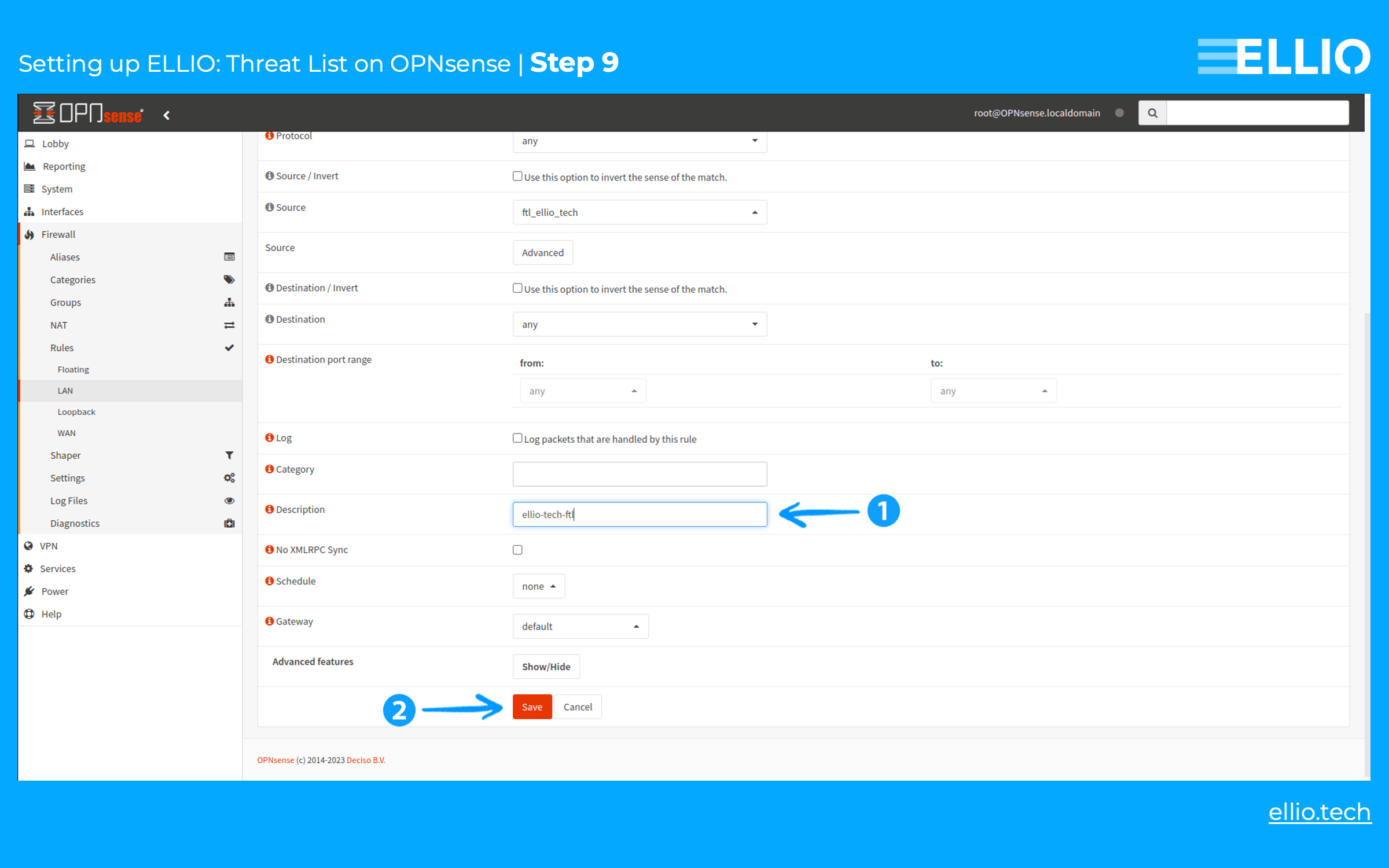
Step 8: Set the Action to Block or Reject. For the Source, select the alias created in the previous step from the dropdown list.
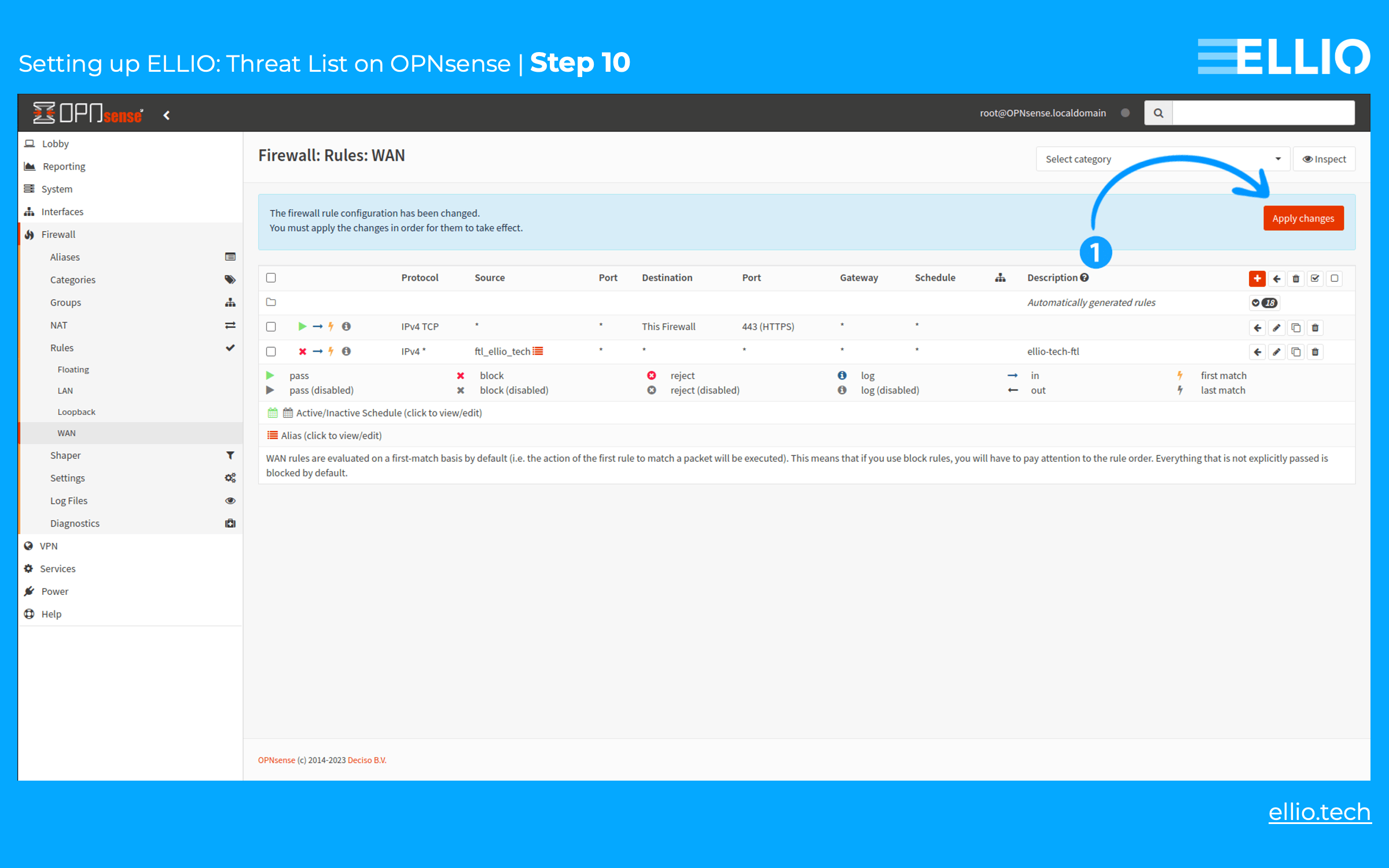
Step 9: After the page loads with the new rule listed, click the red Apply Changes button in the upper right corner to activate the rule.
Step 10: Confirm all changes by clicking the red Apply Changes button.
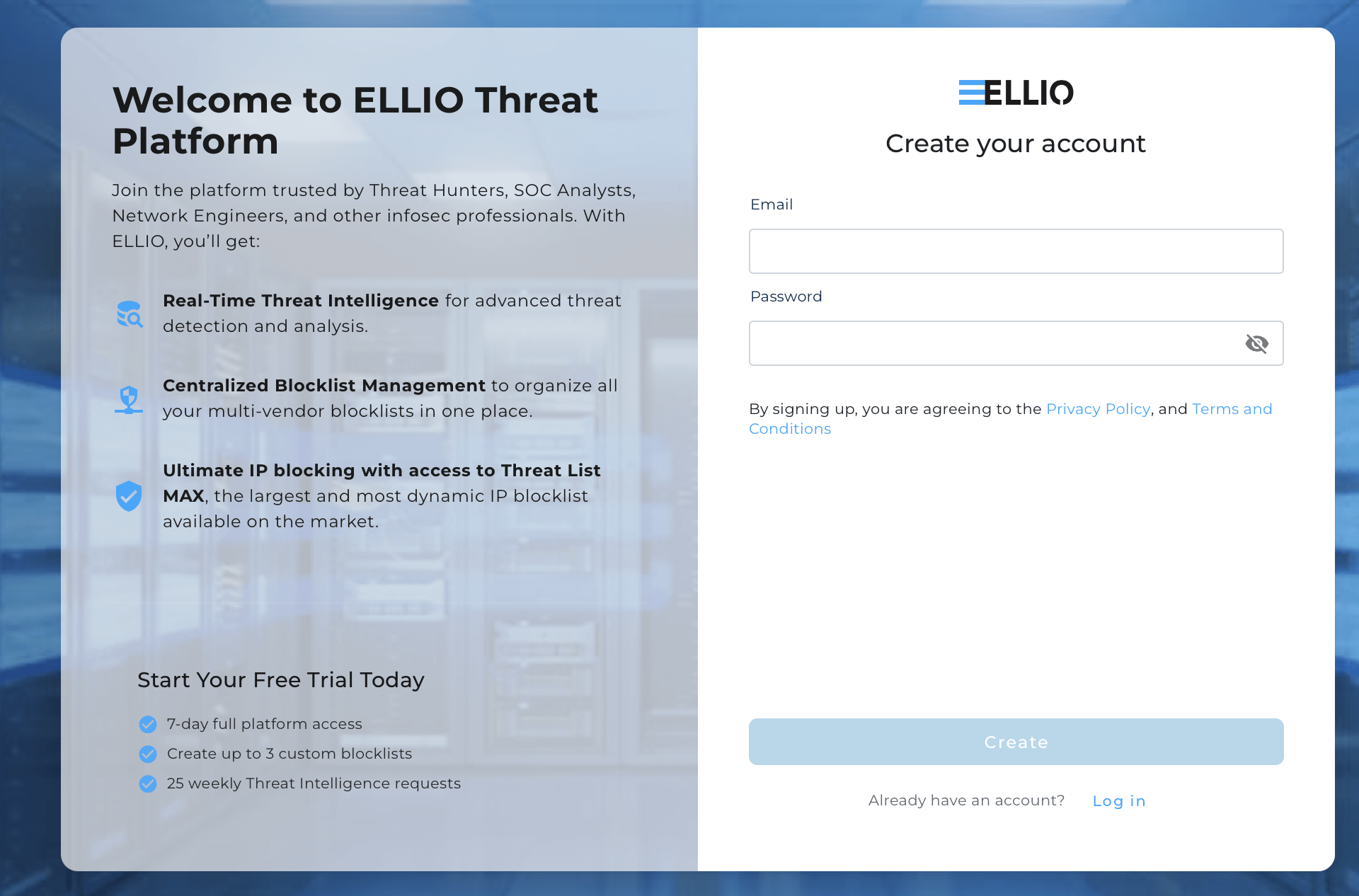
Try ELLIO with a free trial.
Explore all the benefits of ELLIO: Threat List MAX, ELLIO Blocklist Management, ELLIO IP Lookup, and more, with a free trial: https://platform.ellio.tech/
About ELLIO
ELLIO is a research-driven cybersecurity lab with a strong focus on mass exploitation and reconnaissance activity. ELLIO delivers IP-based threat intelligence, network fingerprints, and highly dynamic feeds for event prioritization and data enrichment across existing SIEM, SOAR, and other security tools. Beyond intelligence, ELLIO provides ultimate IP blocking for next-gen firewalls, a platform for centrally managing all multi-vendor blocklists and whitelists, and additional services such as network masking against scanners and eBPF-based filters that combine IP intelligence with modern network fingerprints to protect against active malicious and overly curious (promiscuous) traffic.
Enter the ELLIO Threat Platform and see mass exploitation and reconnaissance activity as they happen: https://platform.ellio.tech