New Historical IP Timeline is live

ELLIO Threat Intelligence Platform expands its capabilities with an interactive Historical IP Timeline, giving teams deep visibility into historical IP activity with flexible filtering and report-ready exports.
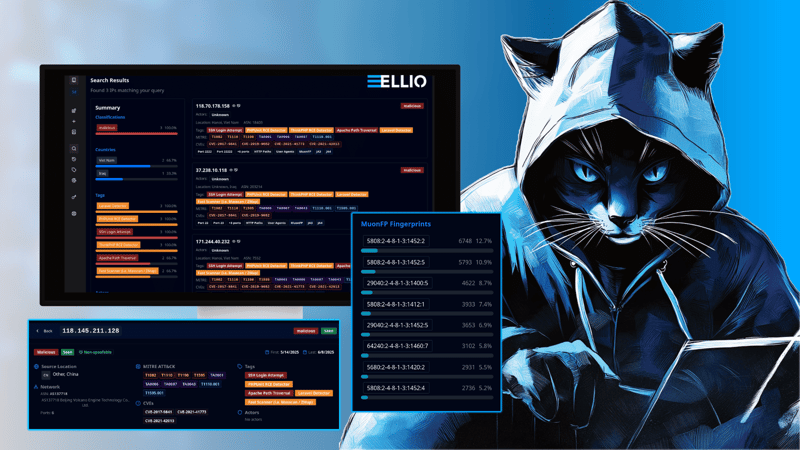
Traditional IP lookup vs interactive historical IP timelines.
While standard IP lookups provide only a single snapshot of an IP’s current or past state, the interactive historical IP timeline provides essential context over time. Analysts can see how IP behavior evolves, identify patterns such as scanning or exploitation, and follow shifts in targets. Multiple data points - ports, fingerprints, HTTP paths, user agents, and geographic destinations - can be analyzed together, giving a comprehensive view that supports faster, more accurate investigations.
How to spot patterns
Let’s look at a sample of activity from IP 5.182.209.113 as observed by the ELLIO Deception Network.
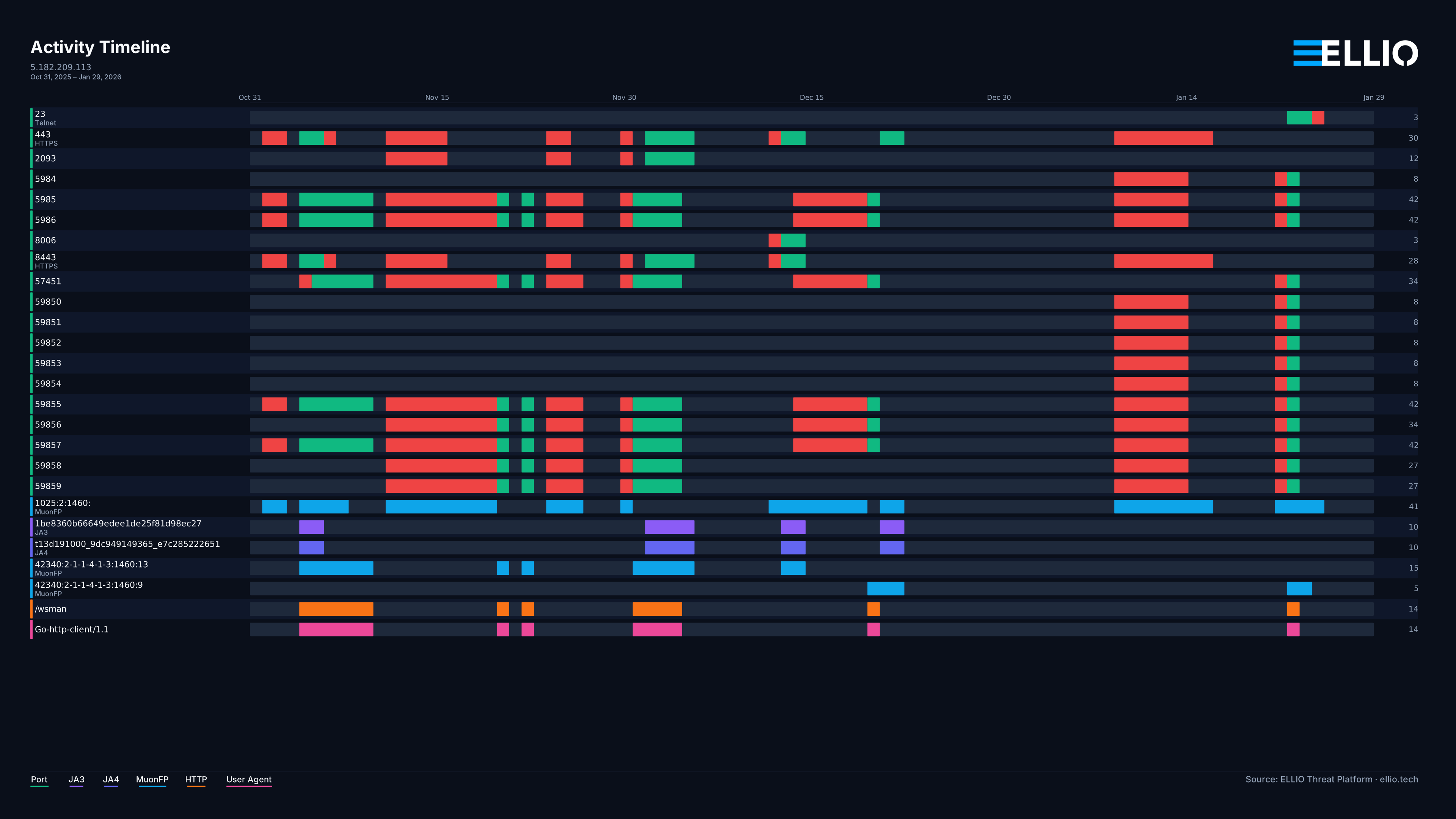
A skilled researcher or incident responder can identify a clear pattern: periods of fast scanning (MuonFP fingerprint 1025:2:1460:, spoofable scanning of multiple ports), followed by exploitation attempts (non-spoofable port activity, MuonFP fingerprint 42340:2-1-1-4-1-3:1460:13 or 42340:2-1-1-4-1-3:1460:9, trying to access HTTP path /wsman with User-Agent Go-http-client/1.1). It is also easy to spot and correlate HTTPS-focused activity by the presence of JA3 and JA4 TLS fingerprints.
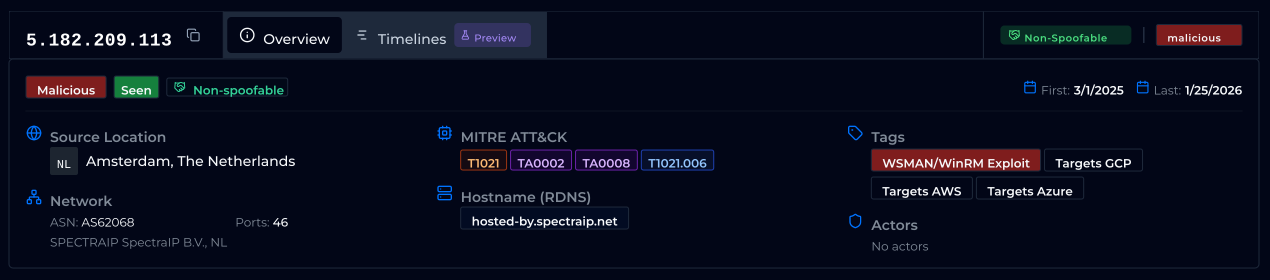
Following the scanning and exploitation patterns, the actual exploit is WSMAN/WinRM, which you can confirm in the overview tab.
Follow Activity Shifts
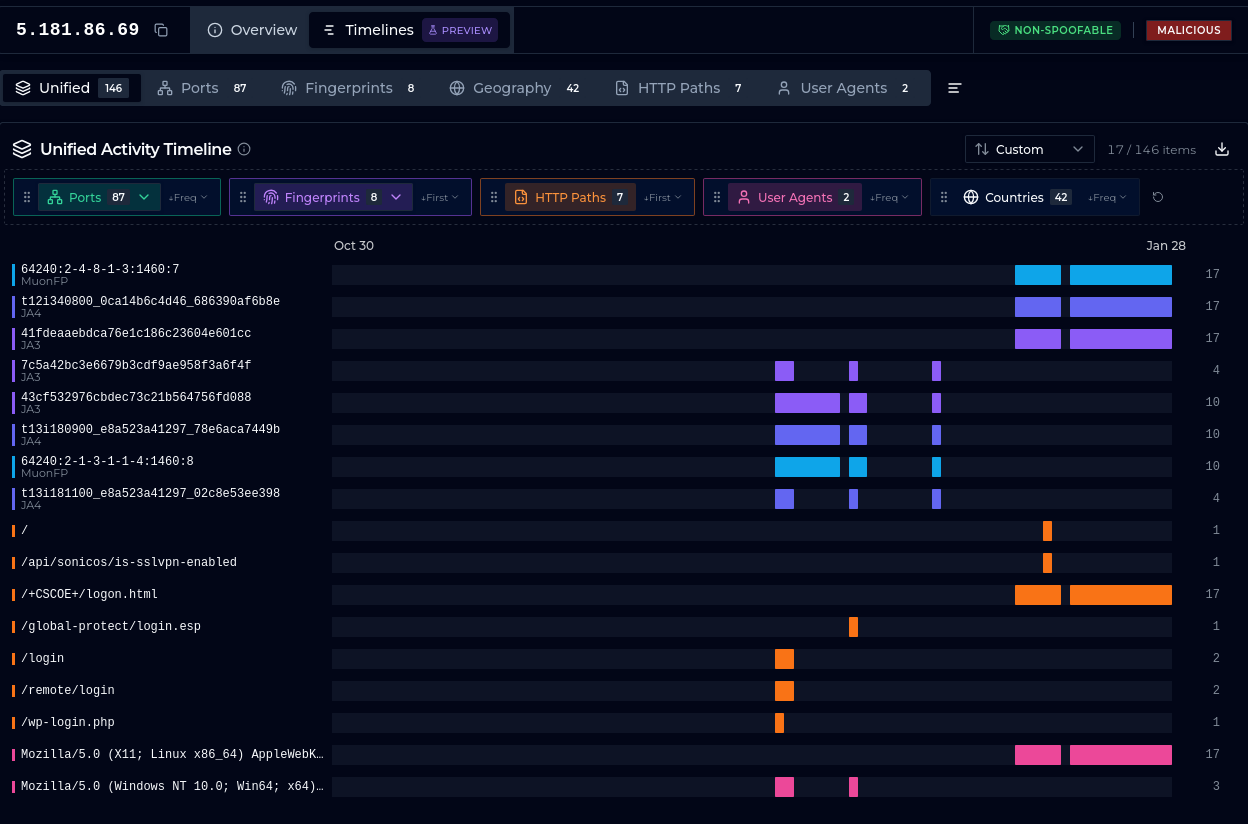
ere is another example, this time illustrating how a threat actor shifts targets over time. On December 17 and 18, it checks for /remote/login and /login. On December 25, focus shifts to /global/protect/login.esp. From January 12, we see targeting of /+CSCOE+/logon.html, with a brief check for /api/sonicos/is-sslvpn-enabled on January 15.
The behavior, based on actual payloads, is properly tagged with tags like Cisco ASA/FTD WebVPN Scanner, Palo Alto GlobalProtect Exploit and SonicWall SonicOS Detector.
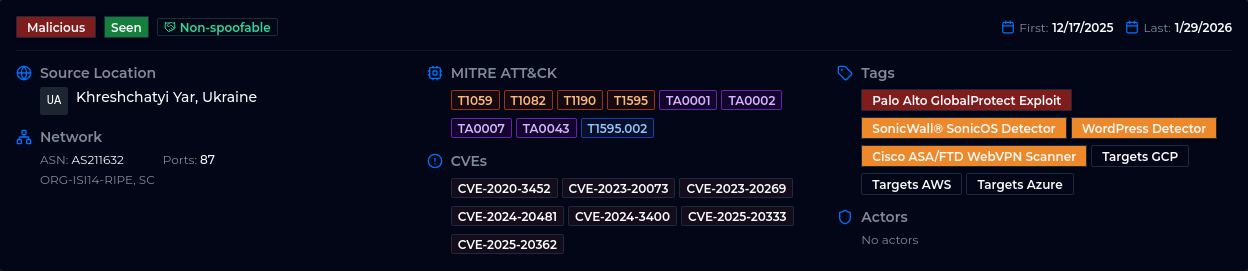
These are cherry-picked examples, of course. Real behavior ranges widely. Sometimes an IP is active for just a brief period:
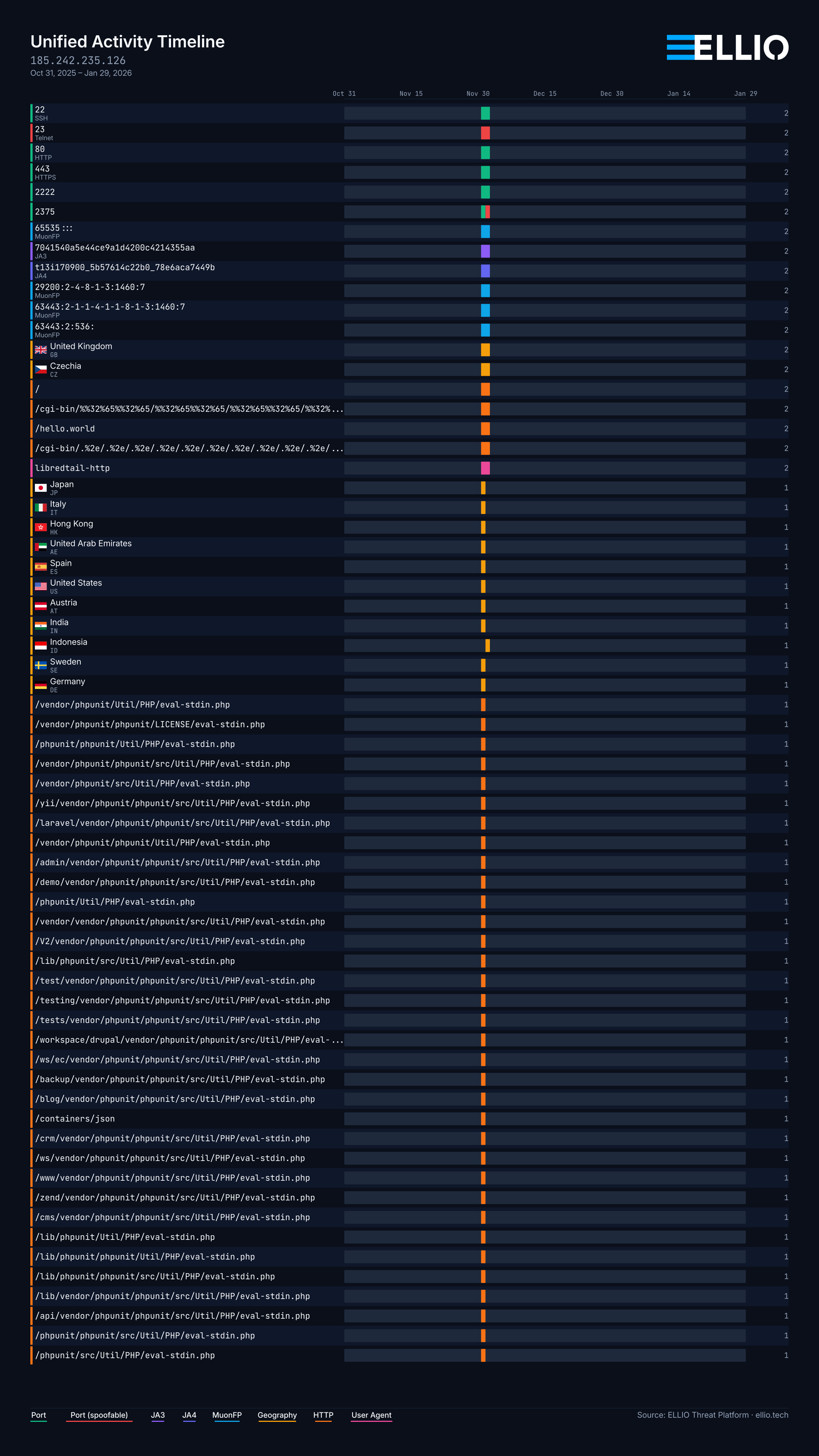
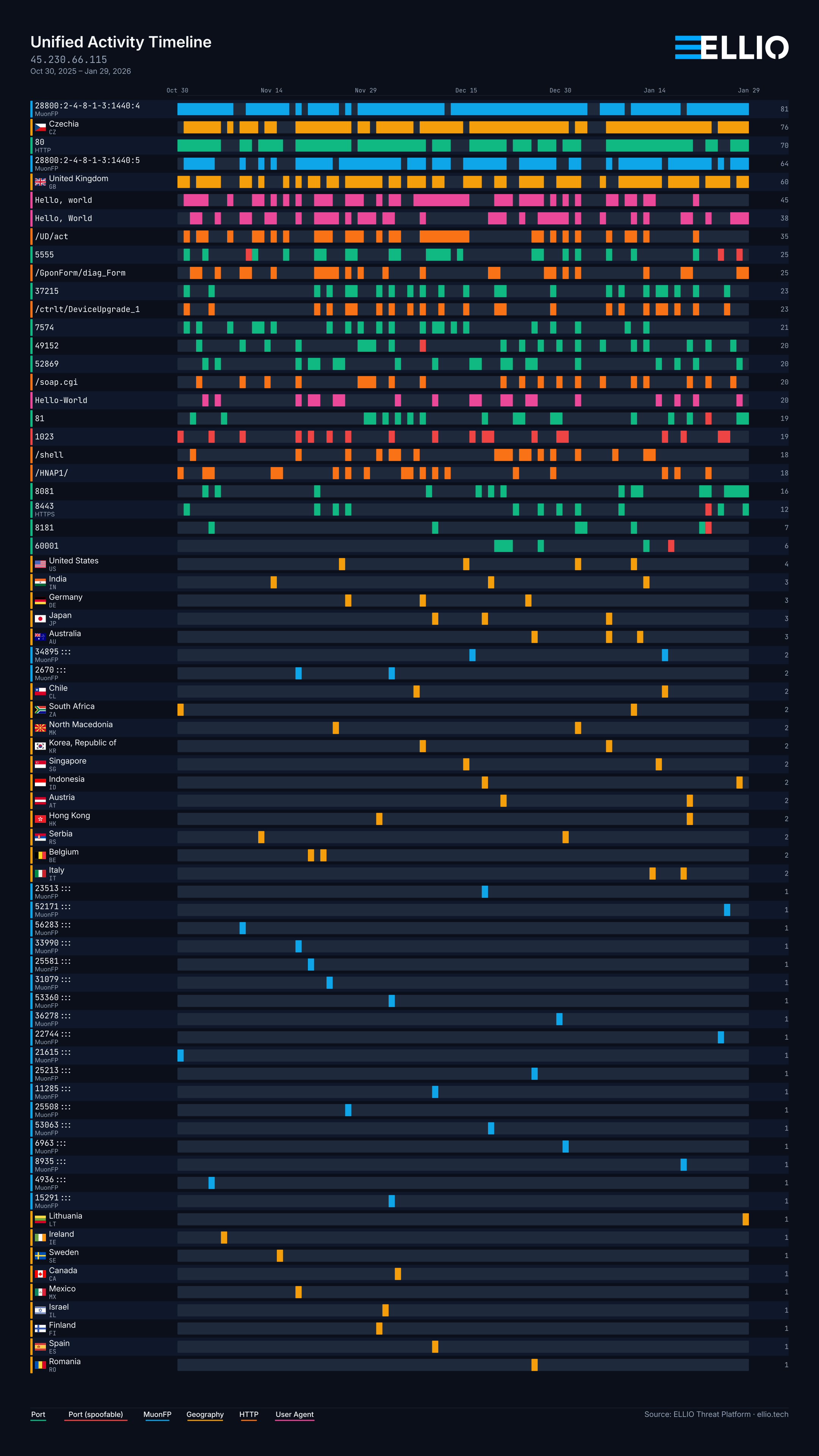
And sometimes an IP is active constantly - and maybe you should have just blocked it in the first place, focusing precious time on something else:
Presets and Filtering
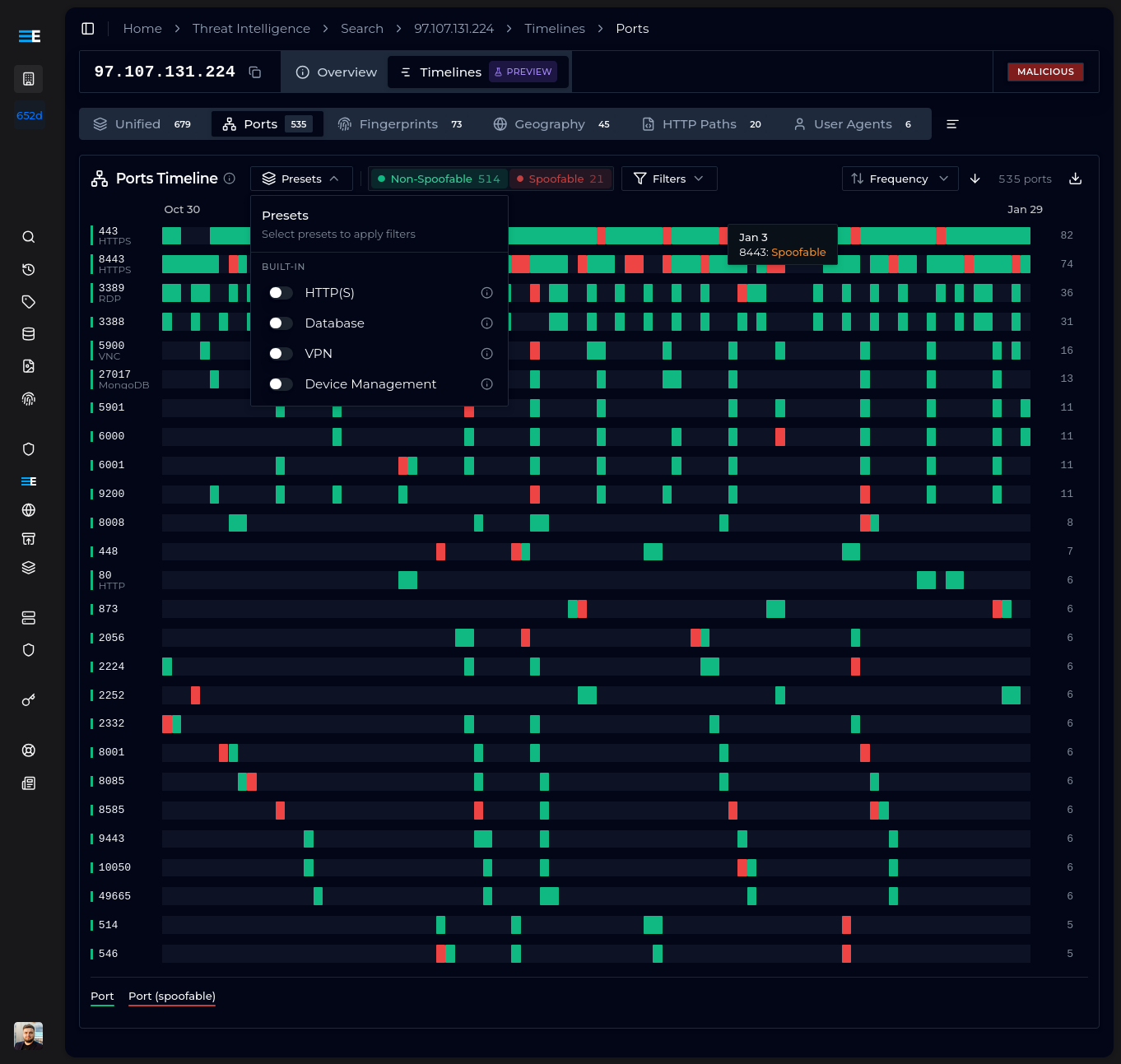
Each data source type (Ports, Fingerprints, Geography, HTTP Paths, User Agents) includes both user-created and built-in presets, as well as different filtering options.
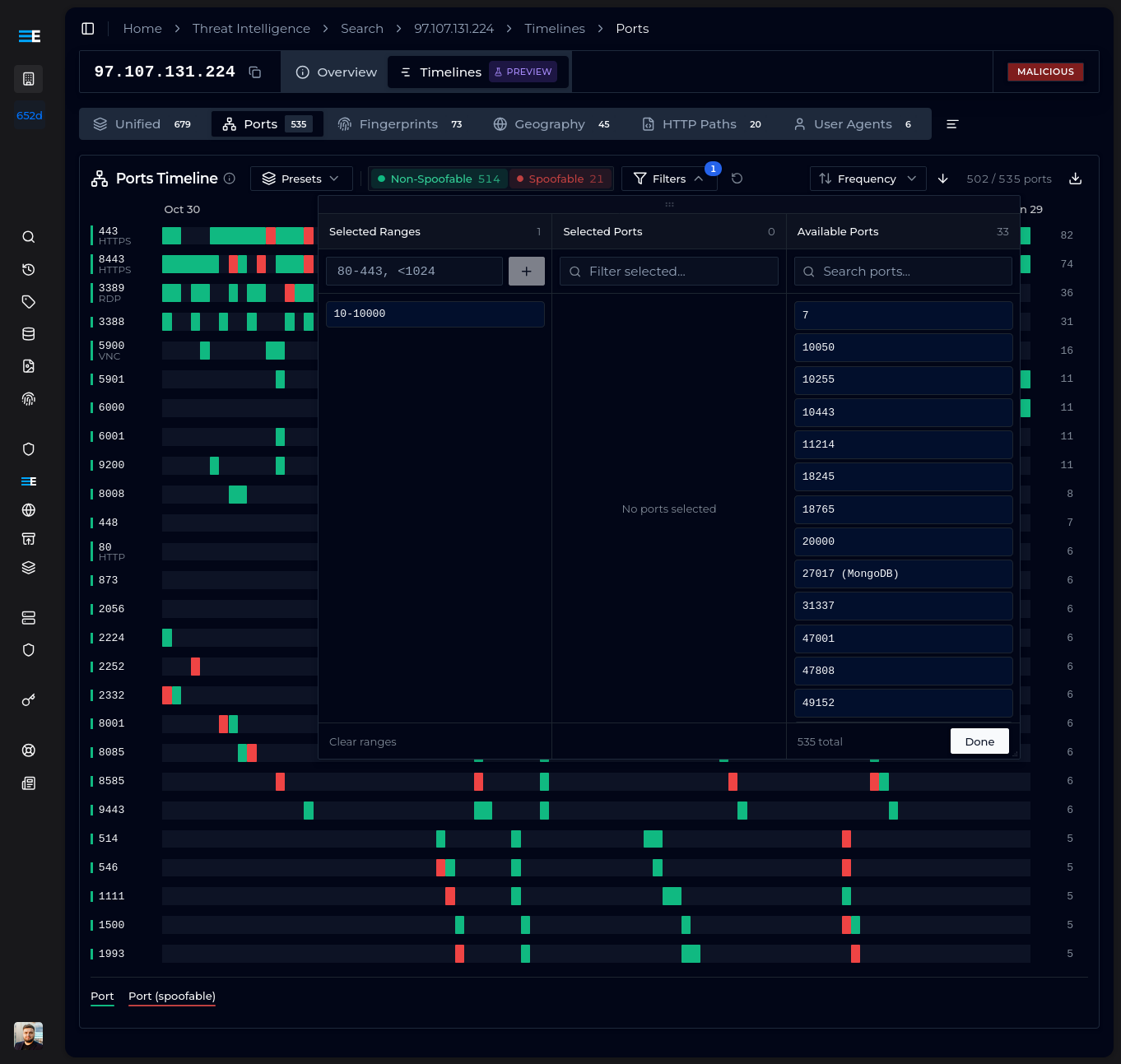
For ports, you can select ranges or specific ports. For fingerprints, wildcards are supported - if you are interested in MuonFP fingerprints with a single TCP option, you could use *:?:*:*, or t13d* to match all JA4 fingerprints representing TLS 1.3 connections to the domain using TCP.
For geographic destinations (specifically, in which countries the ELLIO Sensor Network observed activity coming from an IP), you can wildcard-match all countries of a specific continent or select individual countries.
For HTTP Paths and User Agents, you can filter by specific values or use wildcards to match patterns of interest. That is exactly how our built-in filters are constructed.
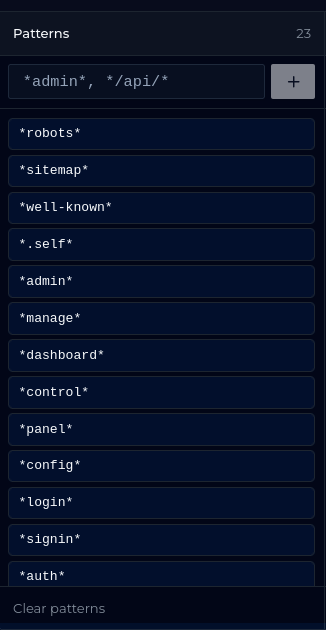
Once you have built an ultimate filter combining multiple patterns and data points, you can save it as a custom preset and re-use it in future investigations.
All of your settings - filters, enabled presets, sorting - are stored per IP and per timeline automatically. They will be there when you come back.
This feature is in technical preview and we cannot wait to hear how you use it in your CTI, IR, and analytical workflows.
Timeline Export
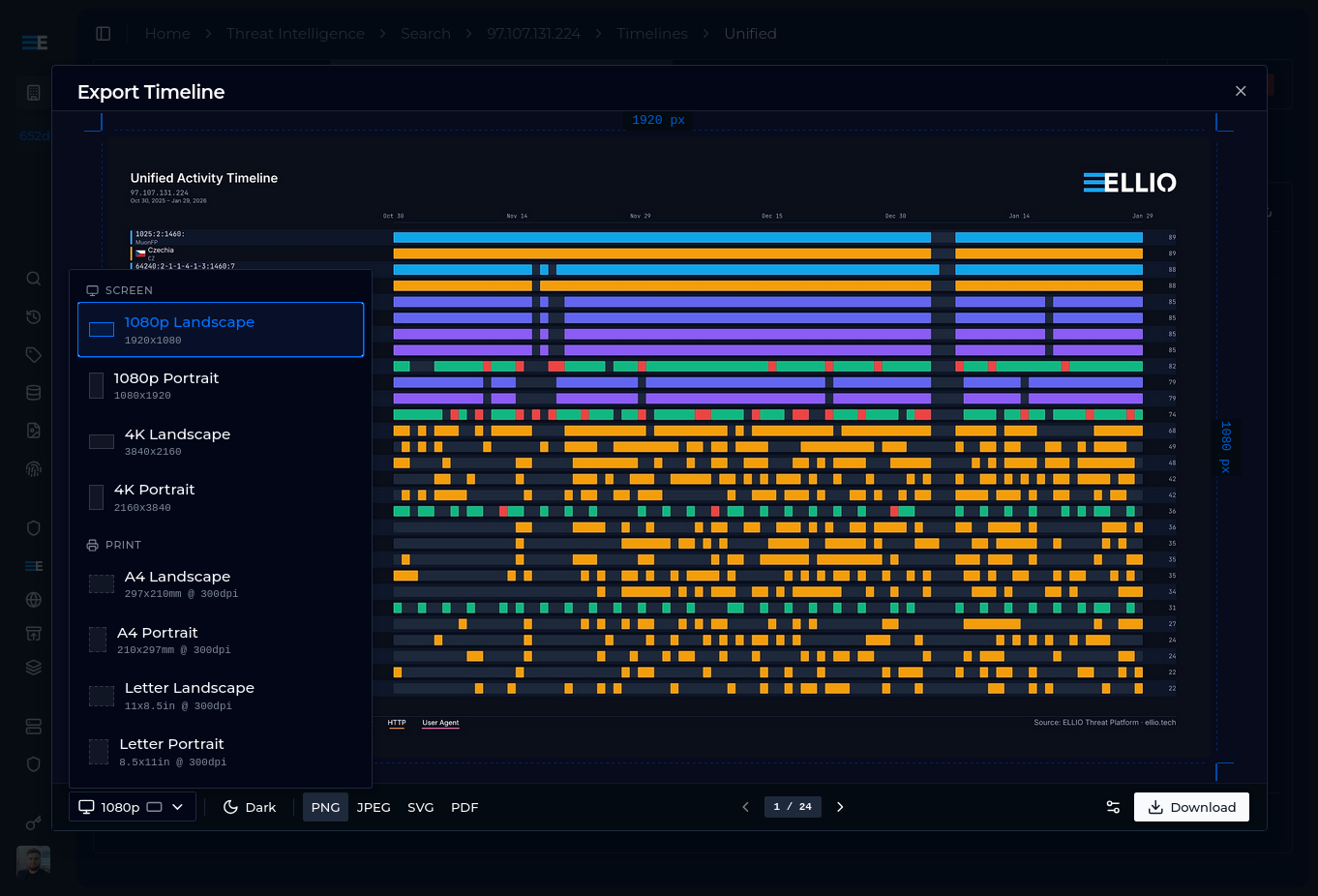
Another thing that always struck us is data visualization. Once you have built your filters and adjusted your sorting, why is it so hard to use in a report or presentation?
That is why we built Timeline Export.
On any timeline, adjust your filters, presets, and ordering. Click the download button and you will see a preview with settings. You can select the format - currently we support 1080p, 4K, A4, and Letter, in both portrait and landscape, in dark and light colors.
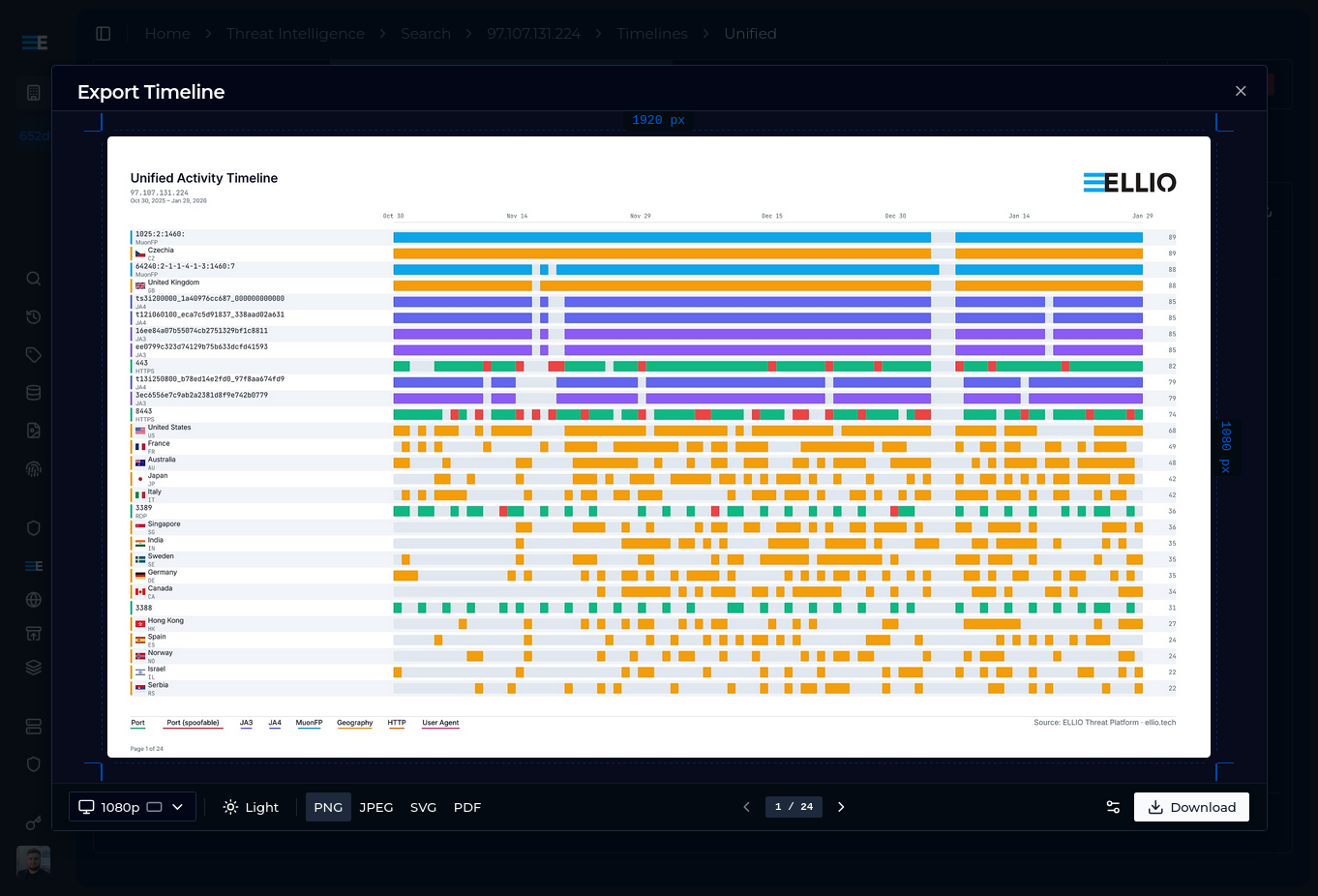
You can customize:
- Element scale - useful for preparing presentations or printed materials
- Label width - the character count after which labels are truncated (fun fact: a JA4 fingerprint is 36 characters long, while the longest functional URL is generally considered to be around 2,048 characters; don't get us started on User-Agents -- 413)
- Title - useful for preparing presentations
Supported output formats are PNG, JPG, SVG, and PDF (with SVG underneath for pixel-perfect scaling, every time). For multi-page exports, unless the format is PDF, each page is rendered separately and you can download a zip file containing every one of them.
You may have noticed some of the exports on this post as well.
This feature is in technical preview and we hope to gather feedback for a second iteration. During development, we encountered numerous instances of weird behaviour that has nothing to do with mass exploitation and recon research - but it is always interesting to read up about "contextual alternates" in OpenType because of bugs that just don't make any sense.